TROUBLESHOOTING “WEB LOGIN SERVICE – STALE
REQUEST” ERROR (HORIZON DESKTOP CLIENT)
Some users may encounter the following error during login when using the Omnissa Horizon Desktop Client: “FAU Single Sign-On – Web Login Service – Stale Request.”
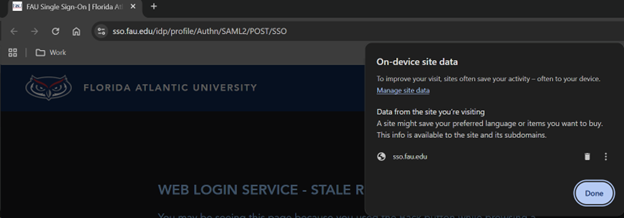
This error typically occurs due to cached browser data or stale authentication of cookies used during the SSO login process. First Attempt: Restart Login Session
1. Close all open web browsers on your computer.
2. Close the Omnissa Horizon Desktop Client completely.
3. Reopen the Omnissa Horizon Desktop Client.
4. Attempt to log in again at: portal.eng.fau.edu
If the error appears again, proceed to the steps below.
1. Clear the browser cache for the website
2. Close the Horizon Desktop Client
3. Re-open the Horizon Desktop Client and attempt to log into portal.eng.fau.edu
Here is the link for more information:https://helpdesk.fau.edu/TDClient/2061/Portal/KB/ArticleDet?ID=133474