remote work resources
If it is your first time using Remote Desktop Connection please contact us at help@eng.fau.edu or through our form found at https://www.fau.edu/engineering/tsg/contact-us/help-ticket/.
To access your Microsoft 365 email visit the link below:
For more information and support on how to use the VPN visit the link below:
remote desktop access instructions
Remote Desktop Connection allows you to access your work PC from another device.
In order to use Remote Desktop from your home you must first be connected to the VPN.
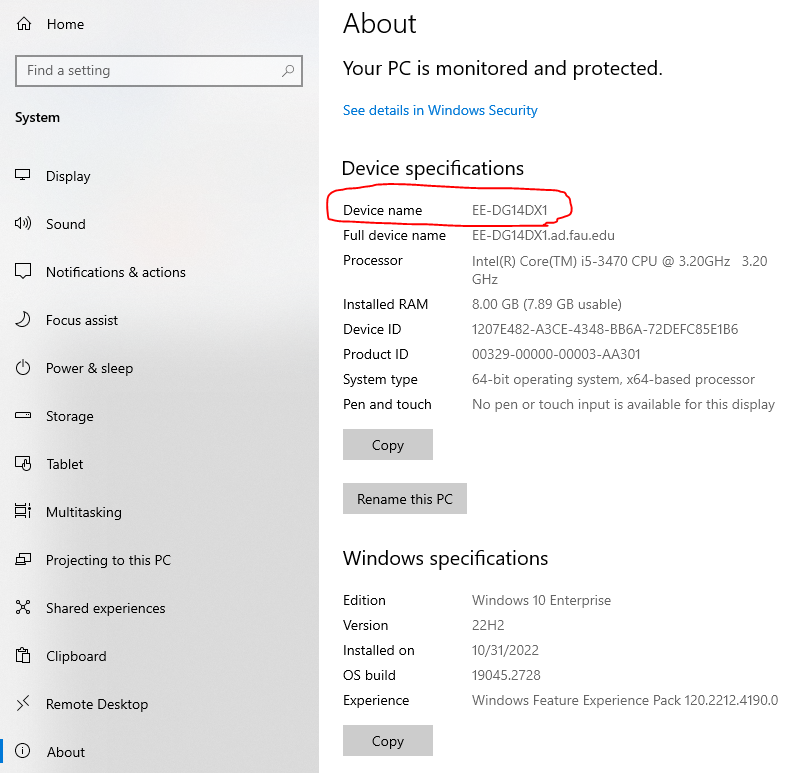
1. On your FAU computer open "Settings" then click "System" then click "About" and write down your computers name to use for later.
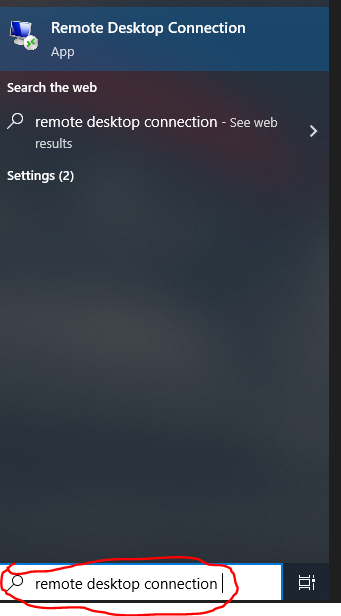
2. Click on the search bar and type "Remote Desktop Connection"
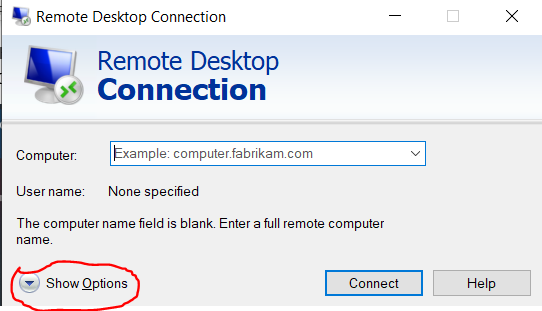
3. Click on "Show Options"
4. Type in the information for your FAU computer name and your FAU NetID and click on "Save As"
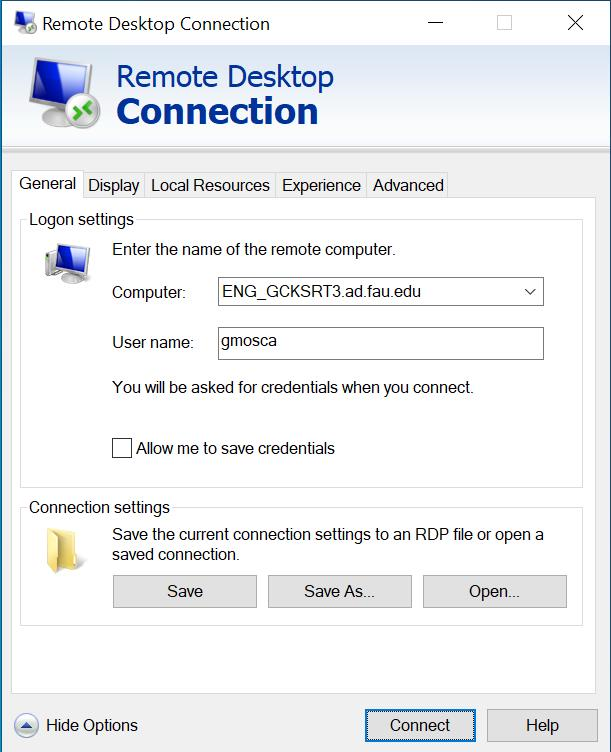
5. You may save this as "Remote Desktop" or you can pick another name.
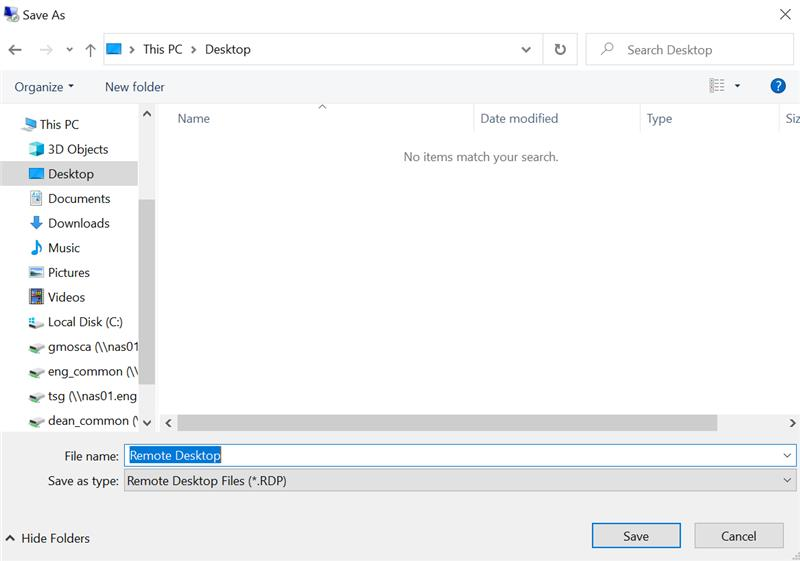
6. This will create a shortcut on your desktop.
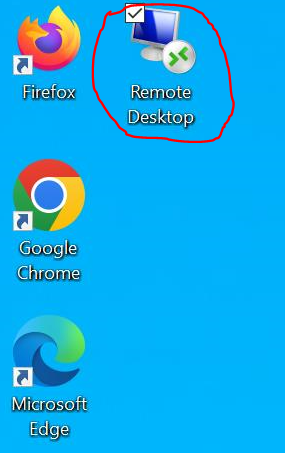
7. Double click the shortcut and the following box will appear, click on connect.
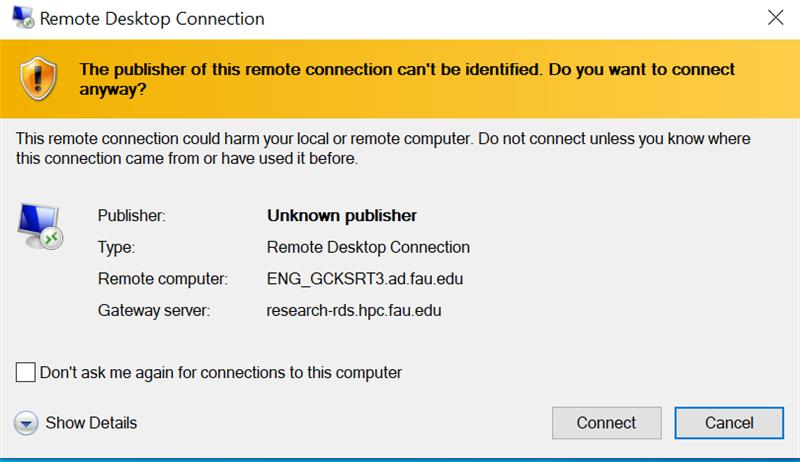
8. You are now connected to your FAU computer!