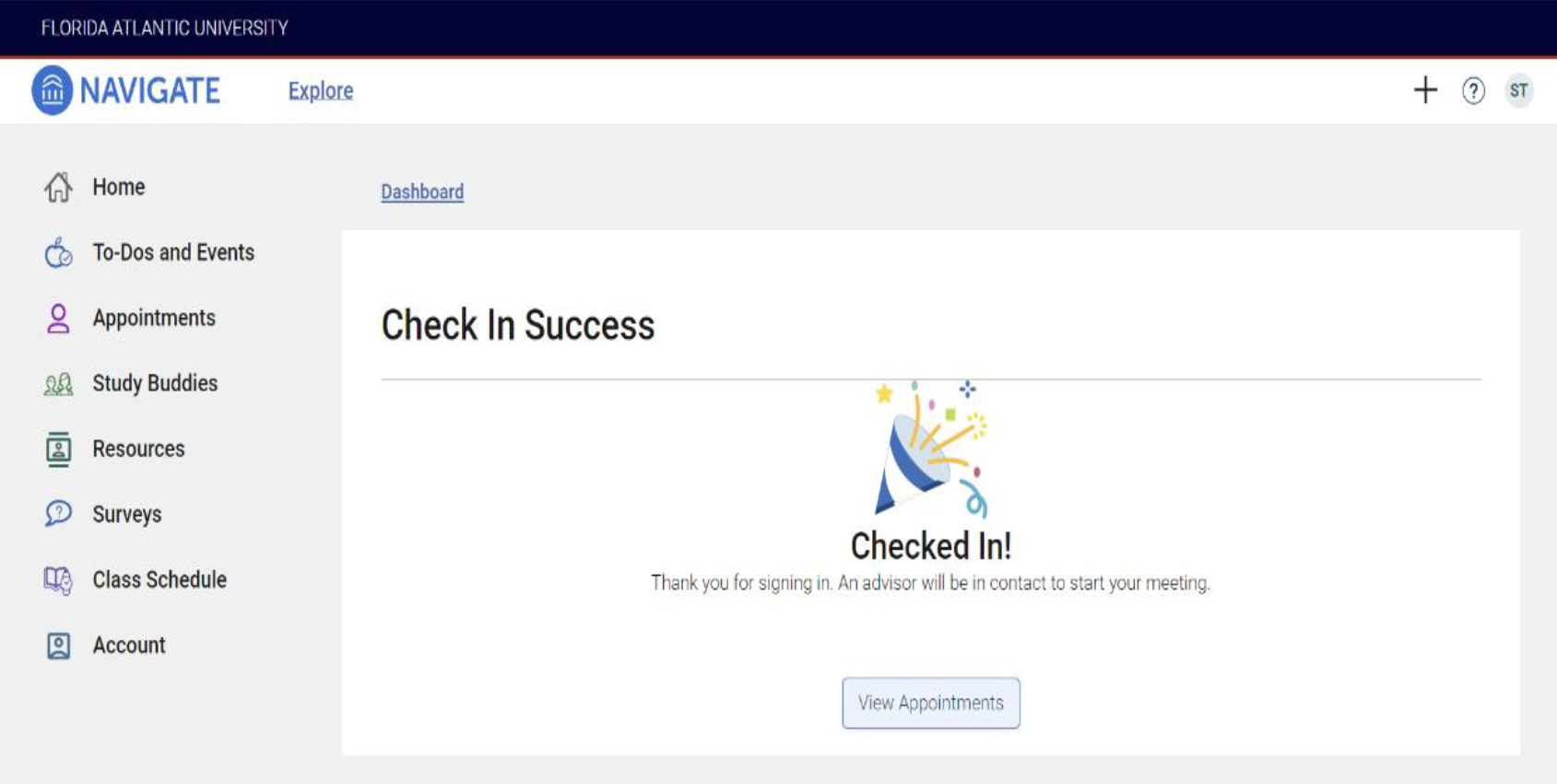
Virtual Stop-in Process
1. Sign into the Navigate App
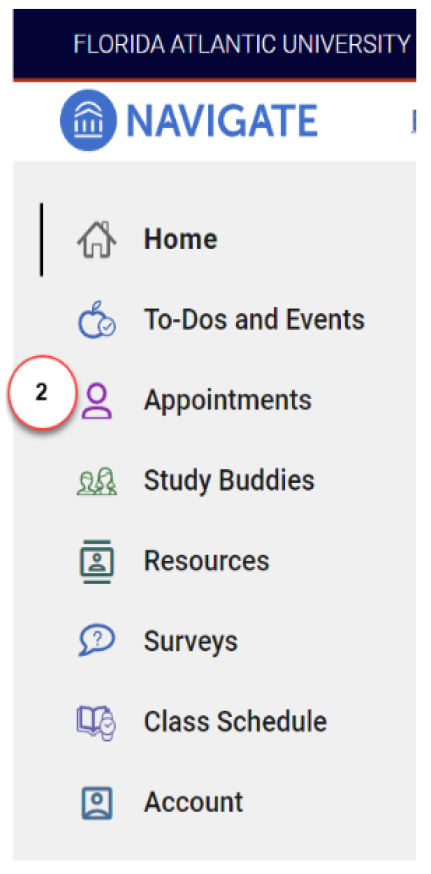
2. Click Appointments
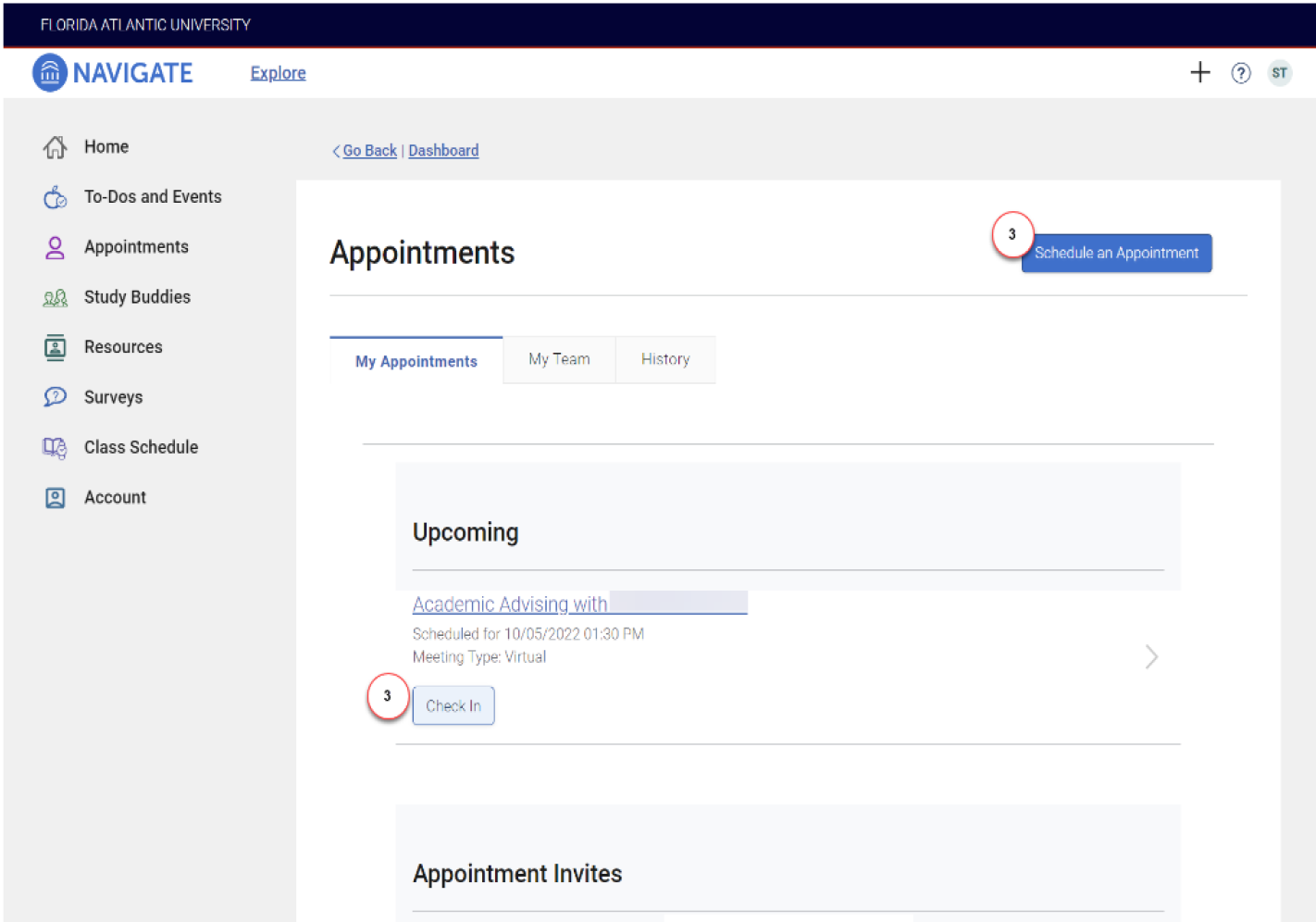
3. If you have a scheduled appointment, click Check In otherwise, for Drop-ins, click Schedule an
Appointment
4. Click View Drop-in Times
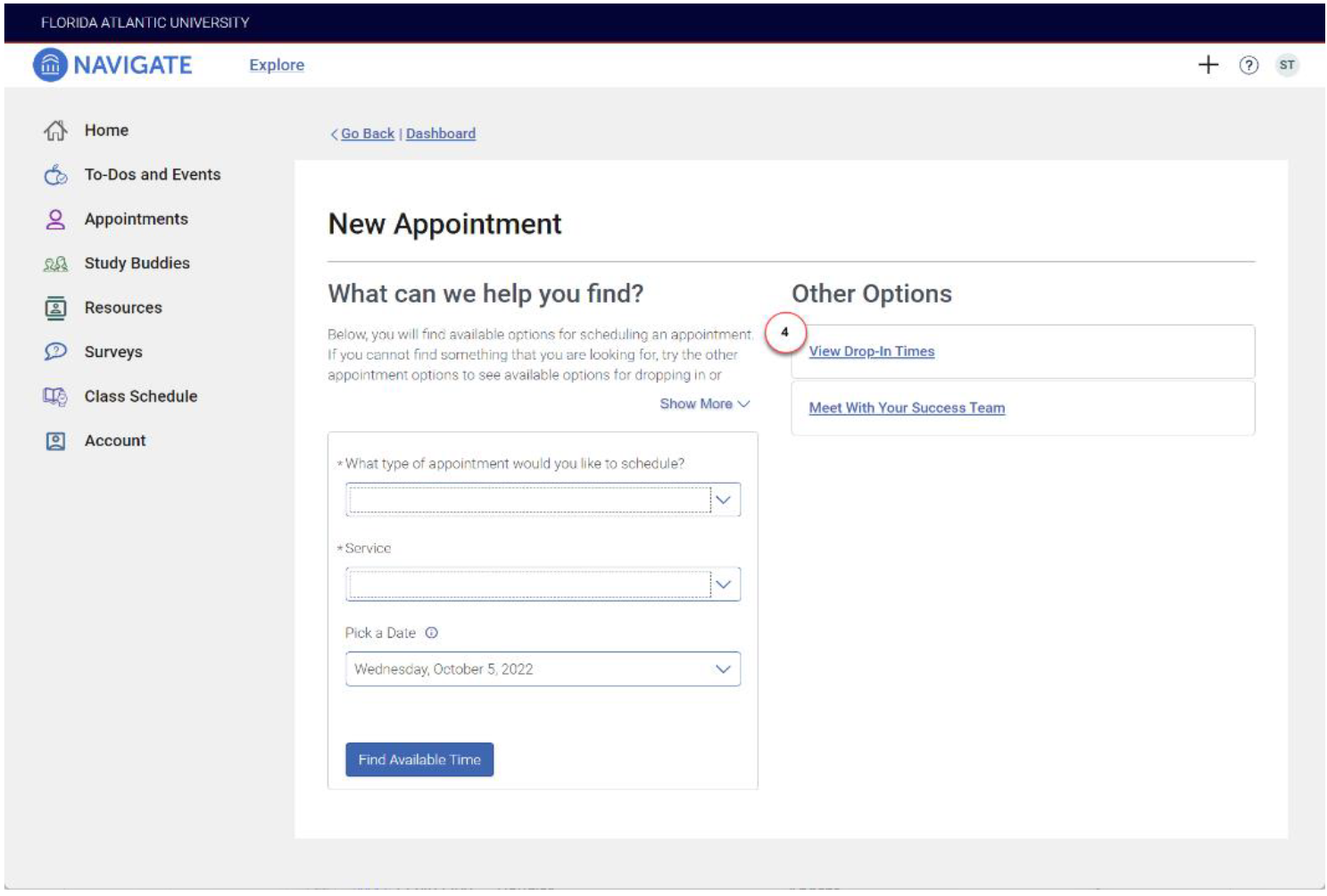
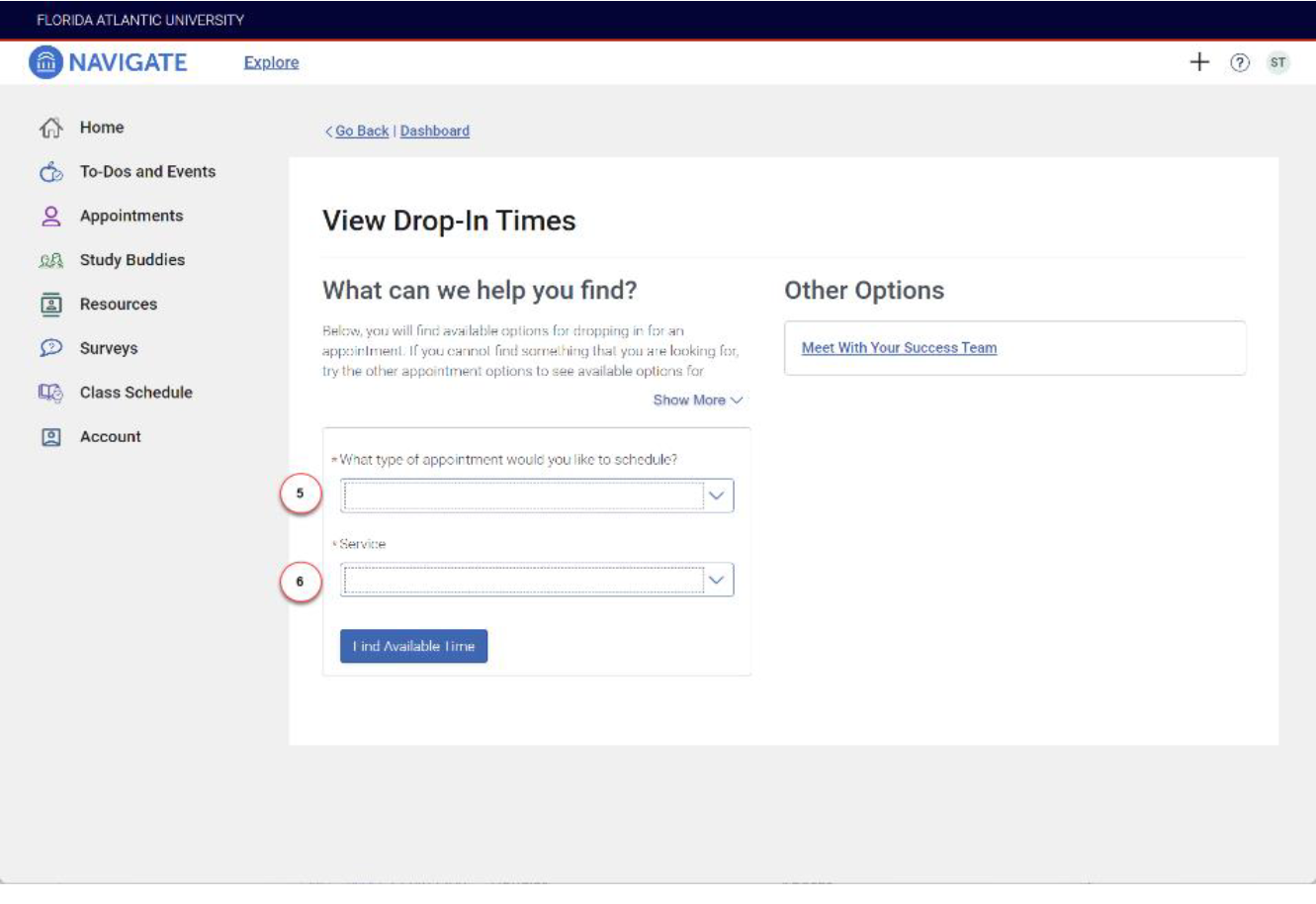
5. Select the Type of Appointment
a. Select Academic Advising
6. Select the Services (reason for the meeting)
a. Select Stop-in Academic Advising (Phone) – The advisor will call you (you MUST enter a phone number in the comments)
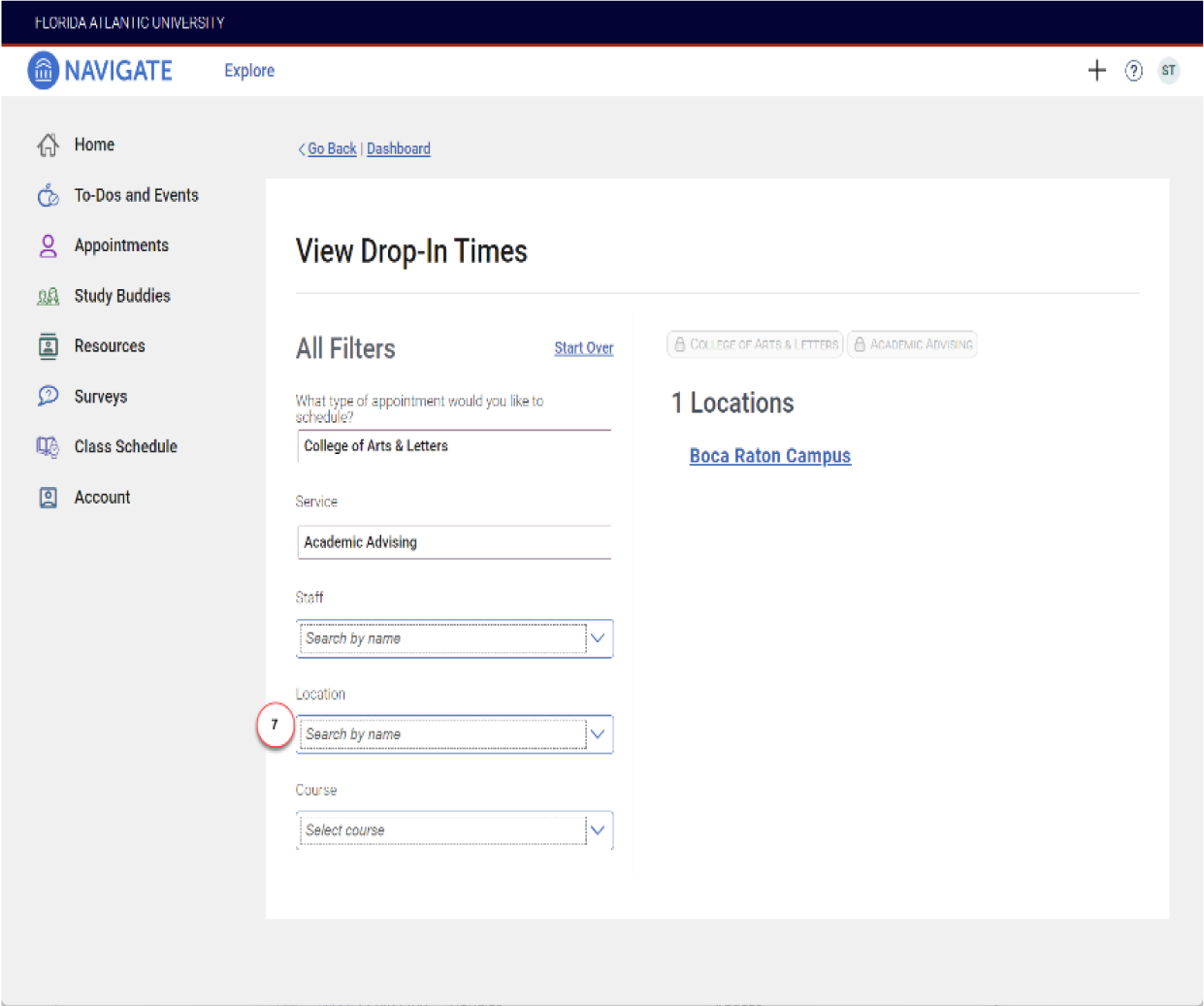
7. Select the Location for the meeting
a. Select College of Science(Boca Raton)
8. Click Check-in with first available
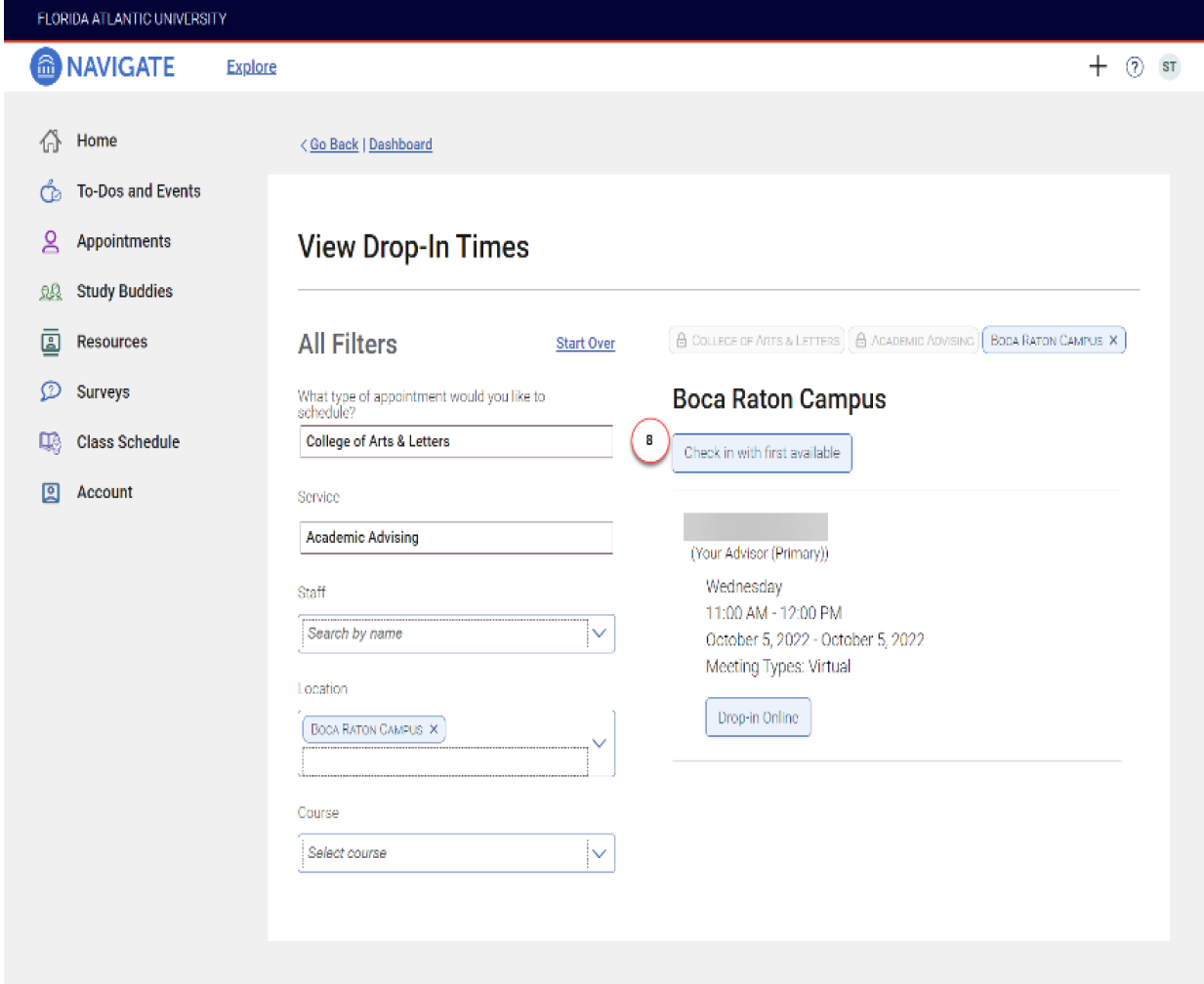
9. You are now signed in. The staff may text a link for you to connect using their preferred virtual platform
(Zoom, Microsoft Teams, etc.), or they may call.