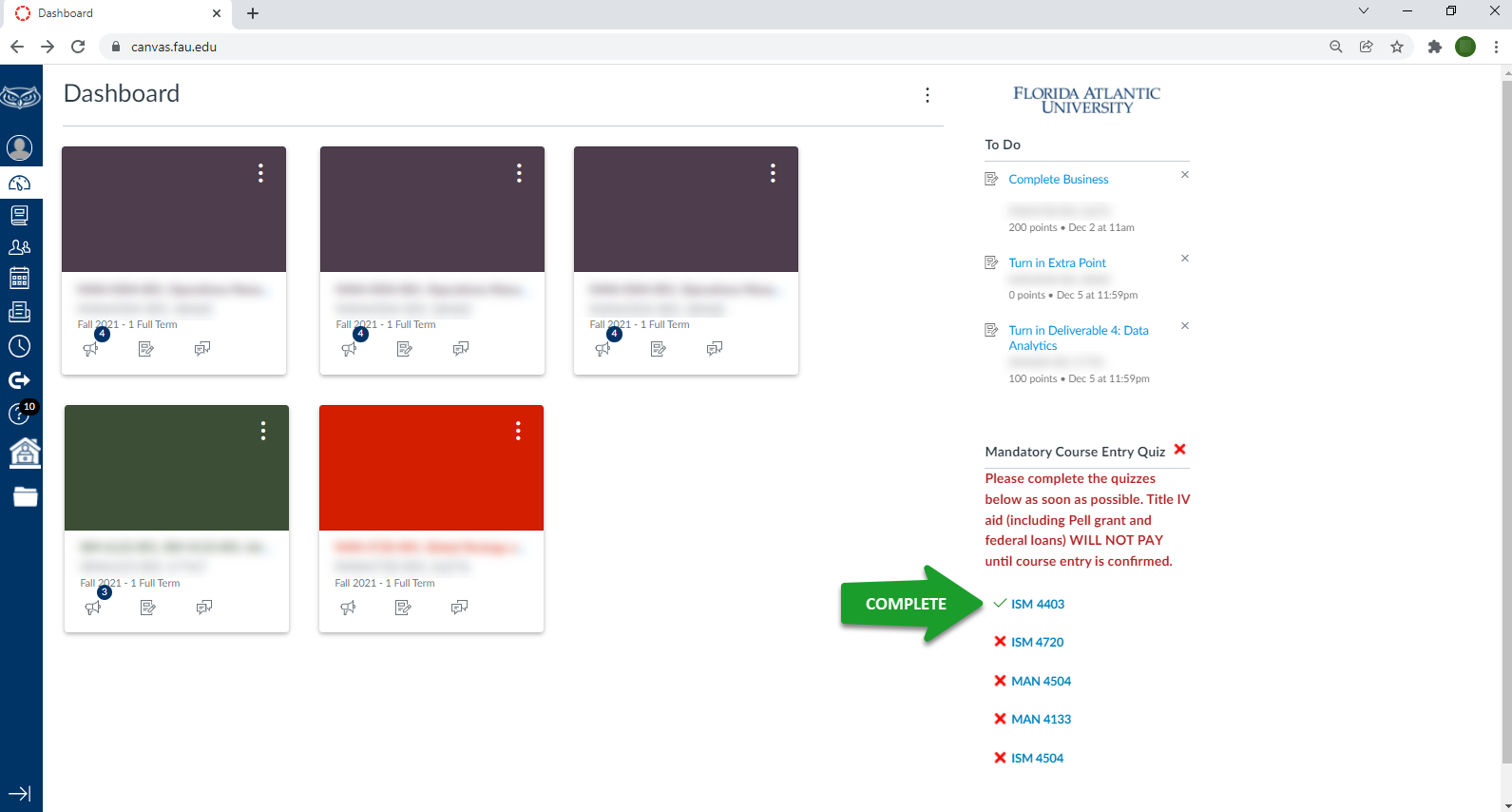
Students are REQUIRED to complete a Mandatory Course Entry Quiz for ALL registered courses every semester at FAU. Quizzes are available on Canvas during the start of the term for each course.
Disbursement of Title IV funds (i.e., Direct Loans, Federal Pell Grants, FSEOG, and Federal Work Study) will be delayed and restricted for courses where your course entry is unconfirmed. Failure to complete the quiz for any of your courses may result in the reduction/cancellation of your financial aid.

Instructions:
1. When you log into Canvas, view the dashboard page. On the right-hand side of the dashboard, you will see a list of quiz links for each course. Quizzes which have not yet started for the term will not be displayed. Completed quizzes will be indicated with a GREEN CHECKMARK. Incomplete quizzes will be indicated with a RED “X”. To complete a Mandatory Course Entry Quiz for a course, click on the corresponding hyperlink.
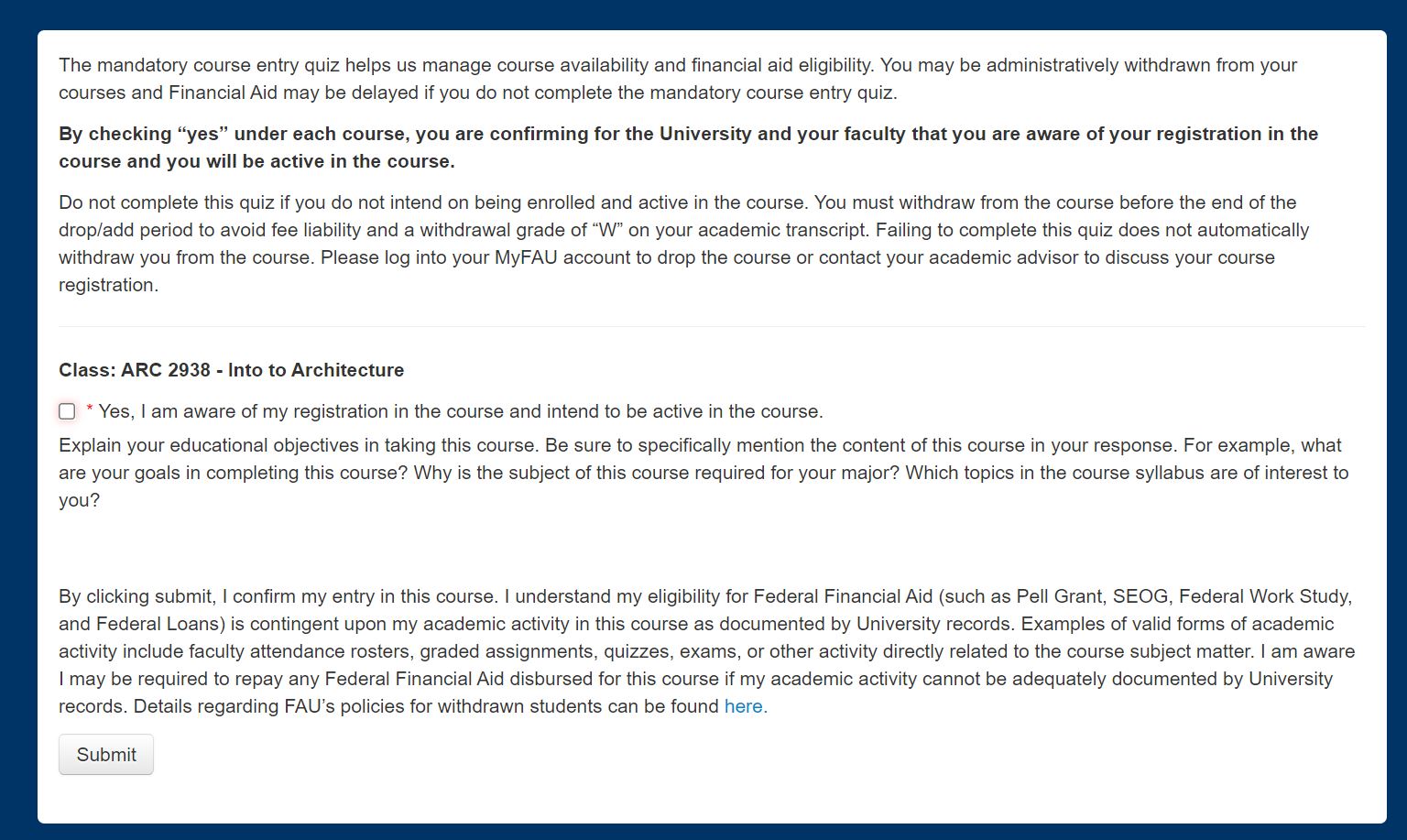
2. Once you have accessed the Mandatory Course Entry Quiz for your course, you should be directed to a page like the one below. You must check the box and answer the statements to verify your enrollment in the course. After completing the quiz, click the “Submit” button to submit your response.
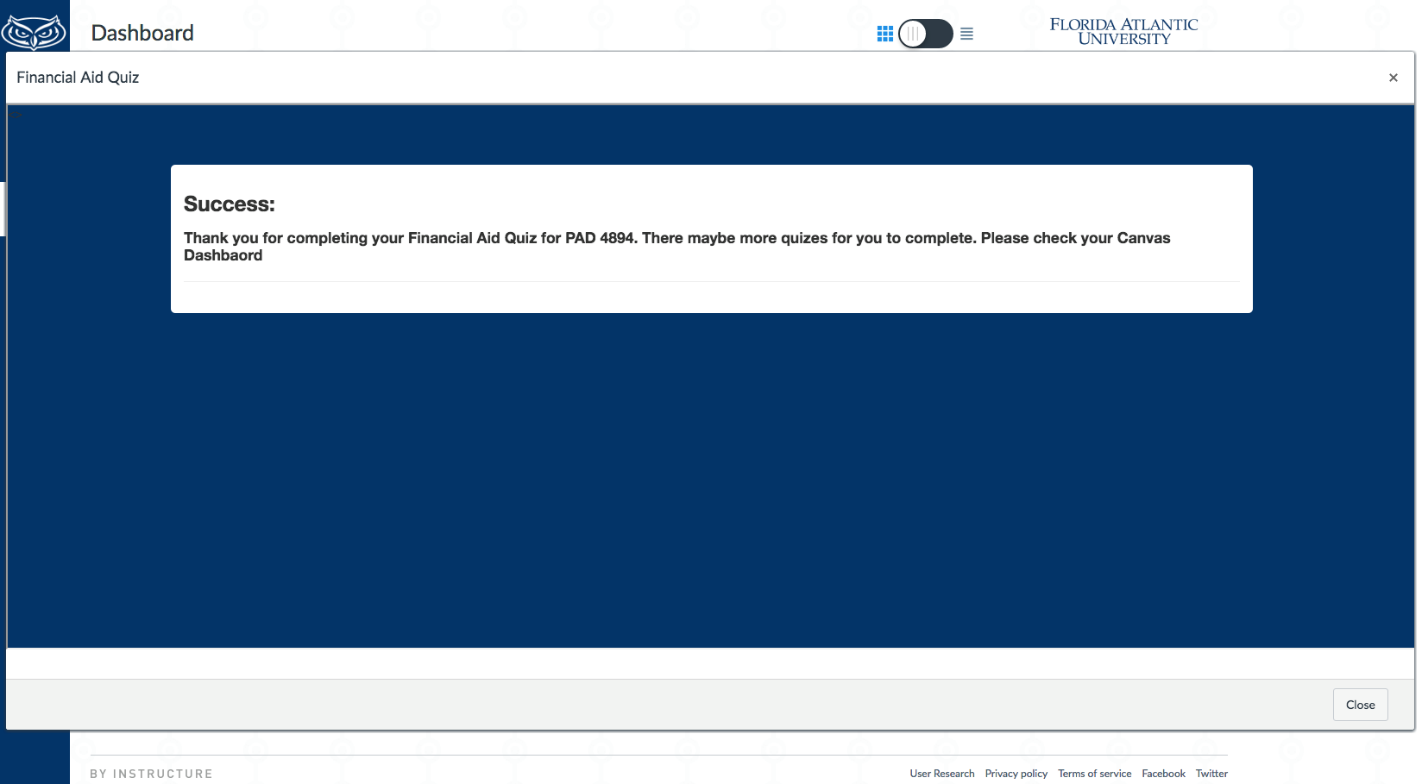
3. If you have successfully completed the Mandatory Course Entry Quiz, you will be directed to the page below.
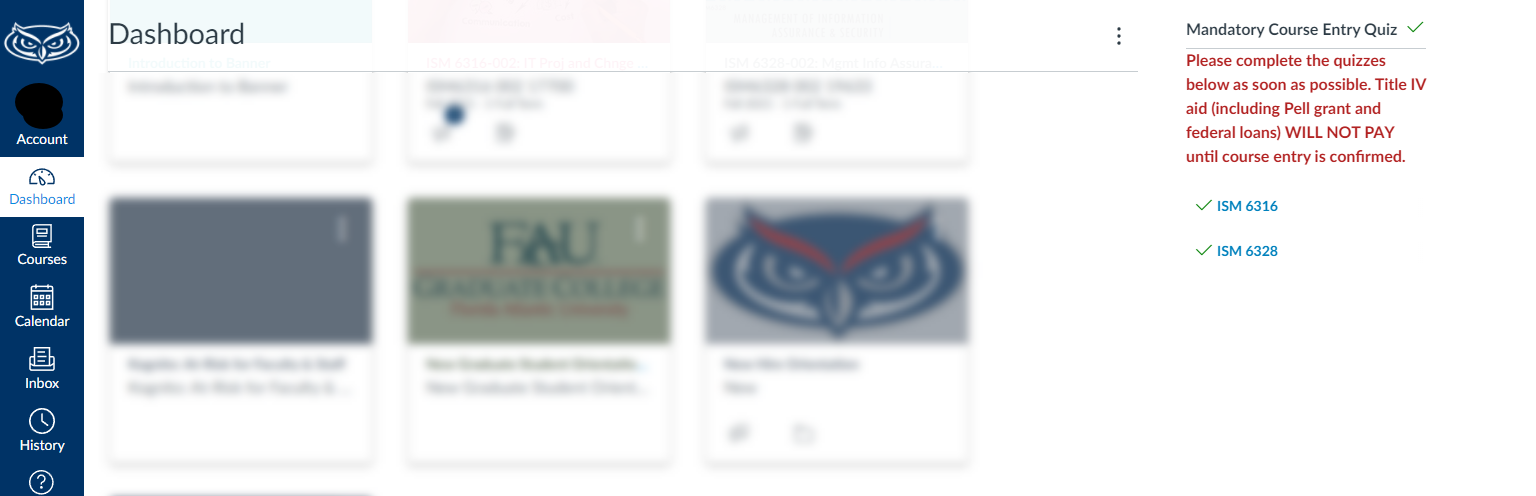
4. When you go back to the CanvasDashboard page, the quiz status for your course should be updated with a GREEN CHECKMARK.